
LightningJS 3: Solid & Blits Performance in the Real World
By Chris Lorenzo · Published Oct 31, 2024 · 6 min read
When it comes to SolidJS and Blits, a common question is: which is better suited for building performant, scalable TV applications? To help answer this, let's dive into a head-to-head comparison using the TMDB (The Movie Database) example app, exploring each framework's performance, developer experience, and more.
Overview: Solid vs. Blits
While not identical, the Solid and Blits TMDB versions are close enough to allow for a fair comparison. The Solid app includes a left navigation drawer, titles above rows, and leverages Solid-UI components. While these extra features should give Blits a performance lead, Solid maintains its edge.
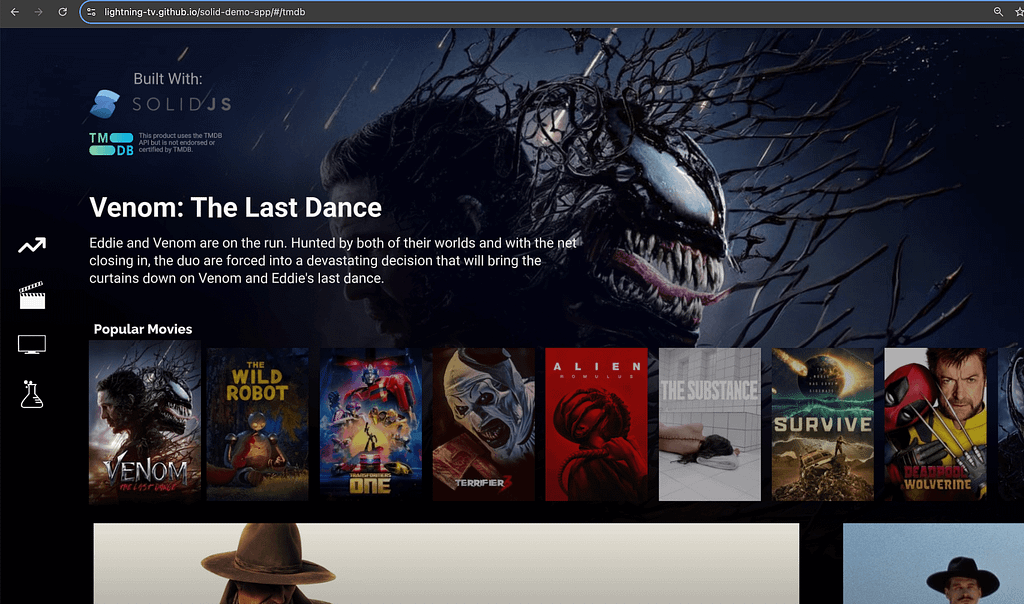
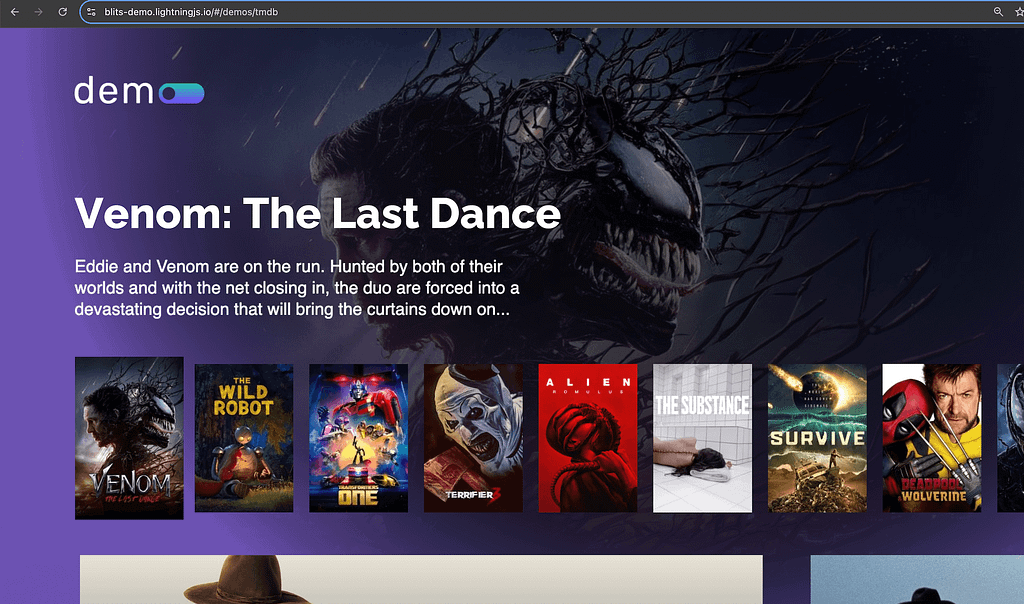
Performance Comparison
So, how do these apps measure up in real-world performance? I tested both versions with a 20x CPU slowdown and cached network response using Chrome's performance inspector.
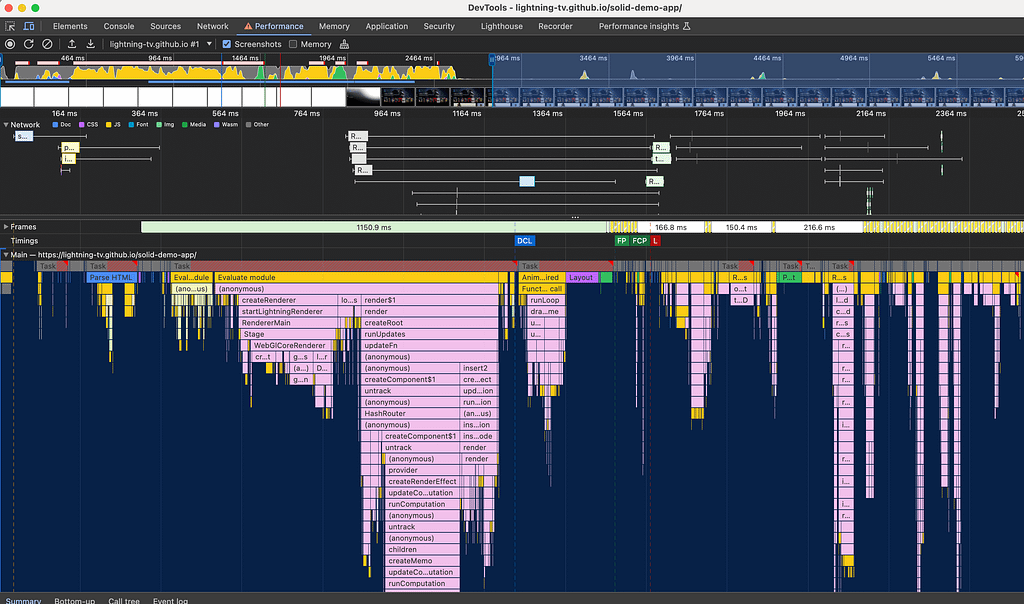
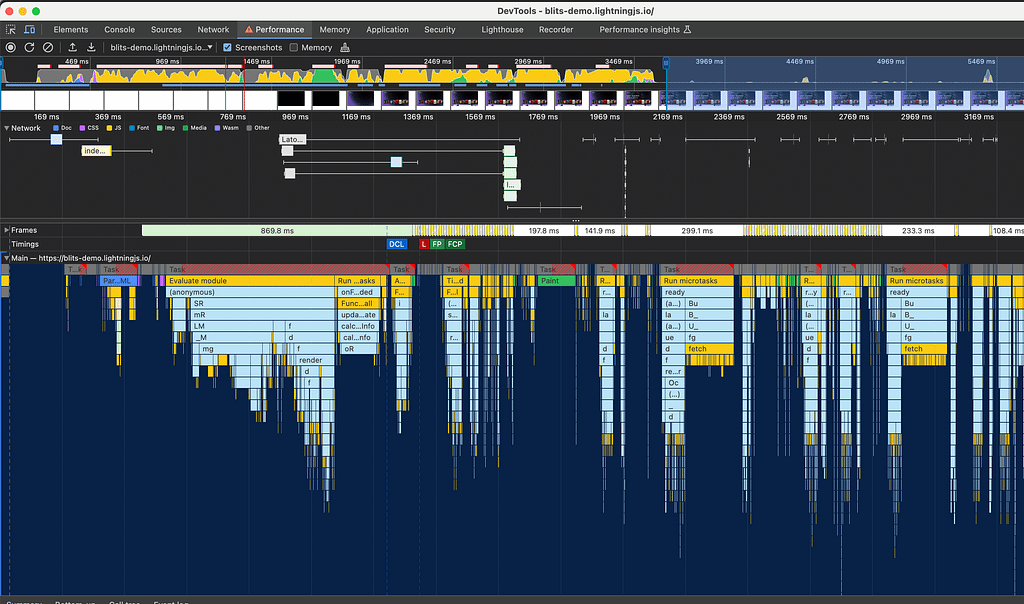
SolidJS consistently loads in about 2.5 seconds, compared to 3.5 seconds for Blits — a 30% improvement in load time. For users, this means faster interactions and a more responsive feel, crucial for engagement. SolidJS' speed advantage also grows with dynamic routing and preloading capabilities.
Memory Comparison
SolidJS isn't just significantly faster — it also uses less memory than Blits, which is crucial for low-end devices. In this comparison, Solid consumed 9.2MB, while Blits used 11.9MB, making Solid the more efficient choice in both performance and memory usage.
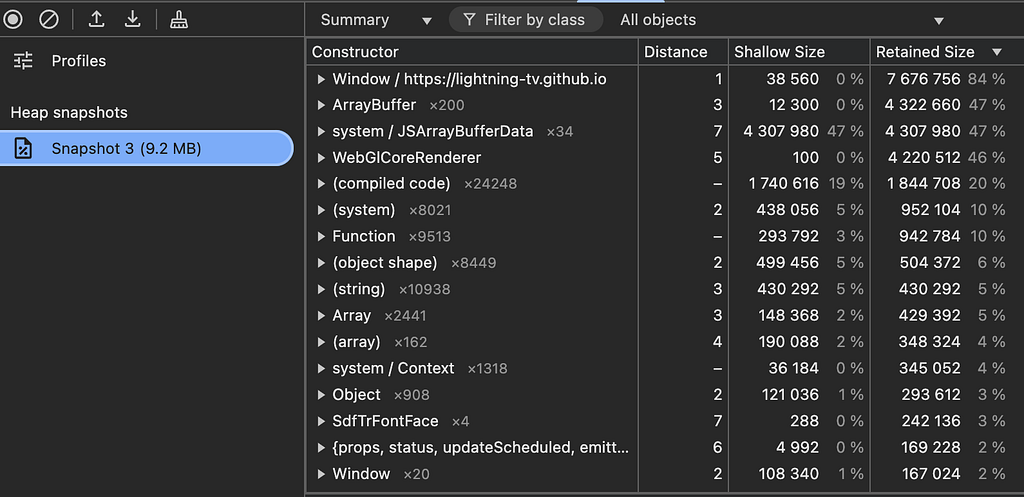
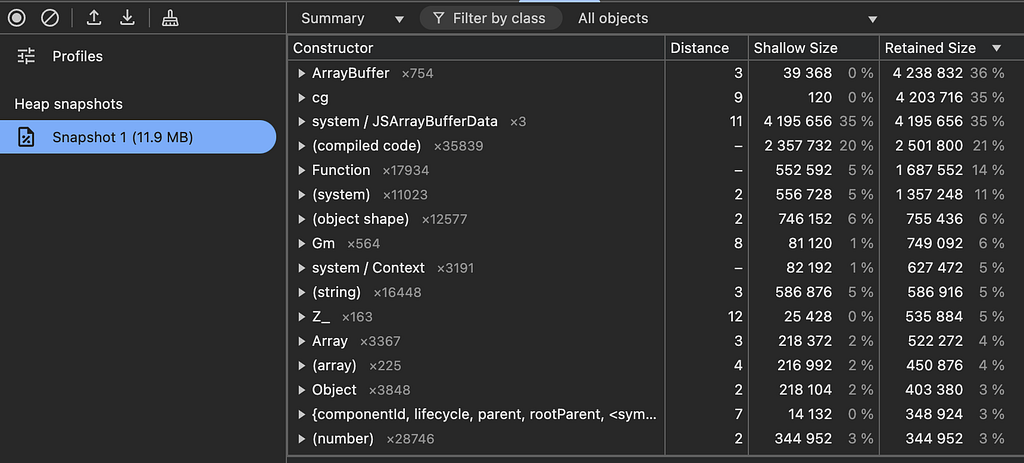
But SolidJS is built for the DOM?
Yes, SolidJS is built for the DOM, but Lightning is a DOM too — just not an HTML DOM. It has nodes, a tree structure, and a rendering pipeline. Solid's reactivity model makes it a great fit for Lightning because it uses signals for immediate updates, aligning perfectly with Lightning's rendering strategy. Solid's fine-grained reactivity makes it highly efficient for updating Lightning's node tree.
But Blits will save you from performance problems…
Really? Can any framework guarantee that? If it were that simple, wouldn't React have solved performance issues entirely? Blits doesn't magically eliminate inefficiencies — you can still write slow code. Performance depends on how you structure your app, manage state, and optimize rendering. If someone claims a framework will "save you from performance problems," be skeptical. There's no silver bullet.
Let's continue with the code differences.
Render as You Fetch
SolidJS takes things a step further by allowing parallel data fetching with the Solid Router's preload function. When navigating from the Home page to an Entity page, Solid starts fetching data before the page load completes. This enables an Entity page to load in as little as 400ms, making transitions seamless and near instant.
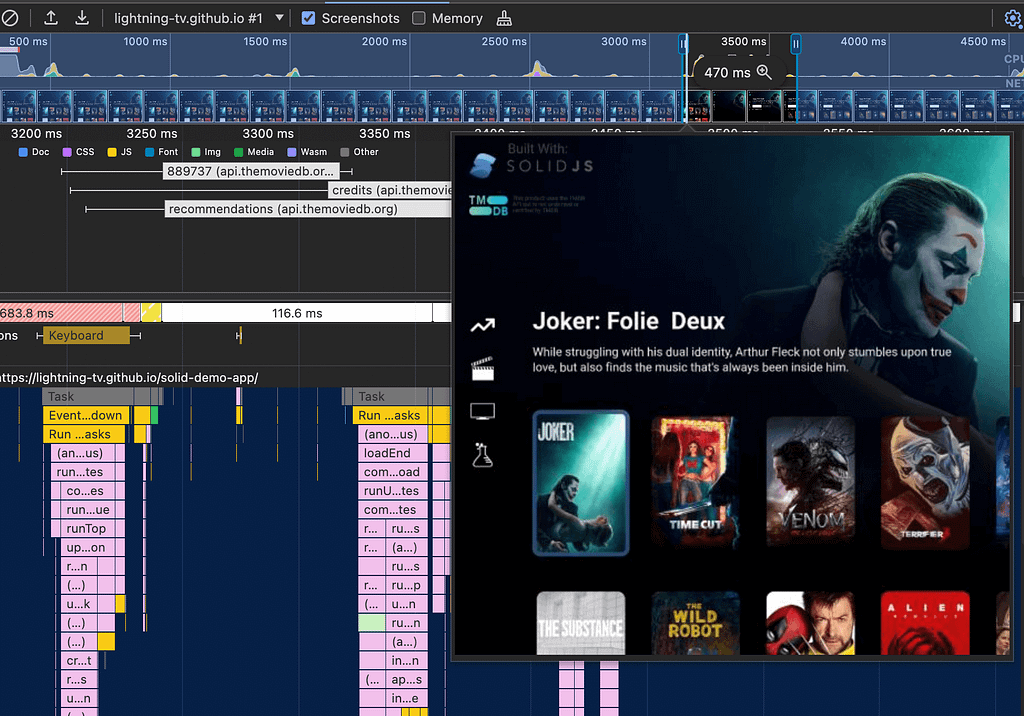
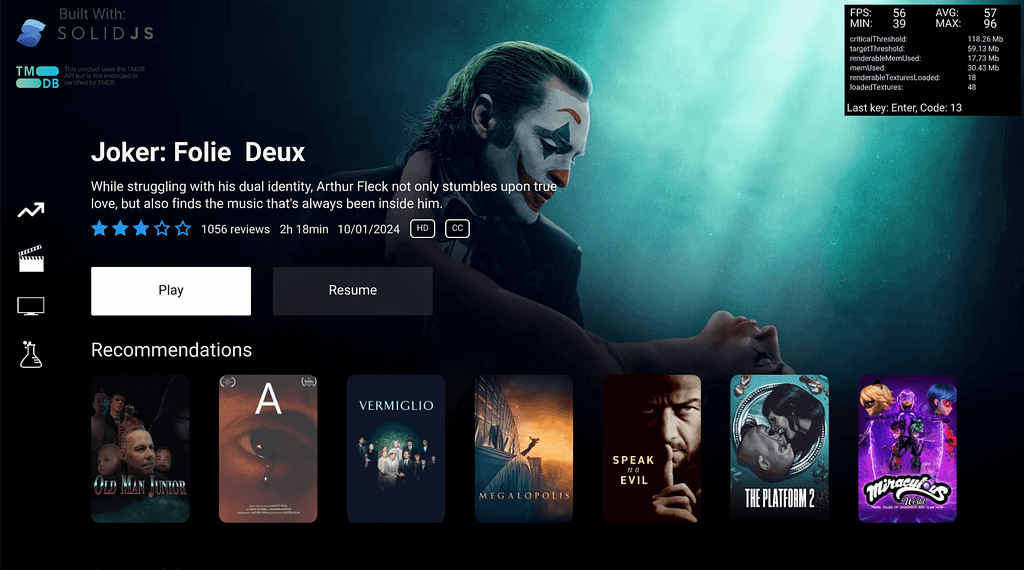
Unfortunately, the Blits app doesn't have an Entity page, so direct comparisons aren't available. Currently, the Blits Router doesn't support render as you fetch, meaning pages need to be loaded before requesting data, leading to a slower page transition experience.
Developer Experience
SolidJS offers a streamlined development process. In just a few hours, I was able to recreate the TMDB page from Blits with less code and reduced complexity. Solid's reusable components and flex layout make it easy to maintain and scale applications, while familiarity with patterns from React keeps the learning curve low. Let's look at how the code compares:
Route Setup
Solid
<Route path="tmdb" component={TMDB} preload={tmdbData} />Blits
{ path: '/demos/tmdb', component: Tmdb }Data Fetching
Solid
In Solid, data fetching is abstracted into a separate function to keep UI components focused solely on display logic. Here's an example:
// Called by the router
export function tmdbData() {
  const rows: RowItem[] = [];
  const featured: RowItem = {
    title: "Popular Movies",
    // fetchPopular calls TMDB and returns a Promise,
    // createResource turns promises into Signals
    items: createResource(() => fetchPopular("movie"))[0],
    type: "Poster",
    height: 328,
  };
  rows.push(featured);
  rows.push({
    title: "Best Western movies",
    items: createResource(() => fetchGenreMovies(["Western"]))[0],
    type: "Hero",
    height: 720,
  });
  // passed into page as props.data
  return { featured, rows };
}
This approach makes UI components easy to test by allowing you to provide different props for testing
purposes. For example, <TMDBPage data={altData} /> can be used to mock out different versions
of the page.
Blits
Data fetching happens directly within the page component, using asynchronous API calls inside a ready hook.
hooks: {
    async ready() {
      // this.rows is part of the pages state
      this.rows.push({
        title: 'Popular Movies',
        items: await fetchPopular('movie'),
        type: 'Poster',
        width: 215,
        y: 0,
      });
      this.rows.push({
        title: 'Best Western movies',
        items: await fetchGenreMovies(['Western']),
        type: 'Hero',
        width: 1370,
        y: 358,
      });
      // ...
    }
}
Here, Blits loads the page first, then calls the ready hook before fetching data. The fetching and manipulation of data is very similar. However, state for Blits must be inside a component using the state prop. SolidJS supports truly global signals that are decoupled from components.
Components
Blits
In Blits, you'll need to write your own logic to handle interactions and reactivity, they recommend you use their reference app or copy paste their sample components.
<Element :y.transition="{value: $y, duration: 300, easing: 'cubic-bezier(0.20, 1.00, 0.80, 1.00)'}">
  <TmdbRow
    :for="(row, index) in $rows"
    key="$row.title"
    title="$row.title"
    :items="$row.items"
    :type="$row.type"
    :width="$row.width"
    y="$row.y"
    ref="row"
  />
</Element>

// need to define input for all key presses
input: {
  up() {
    this.contentY = 0
    this.duration = 300
    this.focused = Math.max(this.focused - 1, 0)
    this.y = (this.focused === 0 ? 550 : 90) - this.rows[this.focused].y
    this.alpha = this.focused === 0 ? 1 : 0
  },
  down() {
    this.contentY = -60
    this.duration = 200
    this.focused = Math.min(this.focused + 1, this.rows.length - 1)
    this.y = (this.focused === 0 ? 550 : 90) - this.rows[this.focused].y
    this.alpha = this.focused === 0 ? 1 : 0
  },
},
Solid
Solid's ecosystem includes useful components like Row and Column that handle focus and keypress interactions
automatically. With these, you get access to recently added new features like scroll="center" and
centerScroll for positioning a single item at the screen's center. For example with big Hero
Posters:
<Row gap={80} scroll="center" y={50} height={800}>
  <For each={row.items}>{(item) => <Hero {...item} />}</For>
</Row>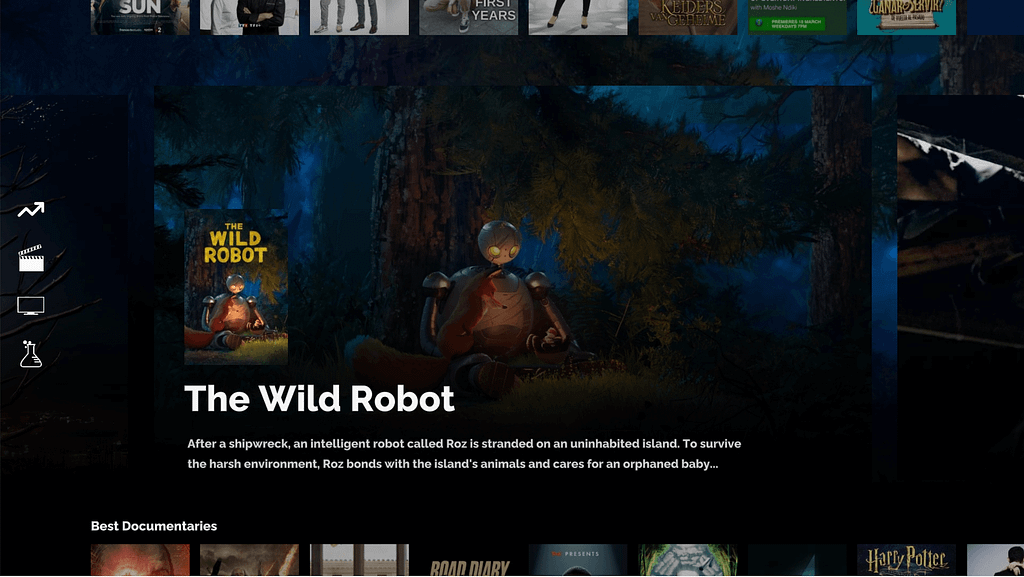
Additionally, you'll want to check out <LazyUp> and <Dynamic>
components. Here's an example of their usage in TMDB:
<LazyUp
  id="BrowseColumn"
  component={Column}
  direction="column"
  y={500}
  upCount={3}
  each={props.data.rows}
  onSelectedChanged={onSelectedChanged}
  autofocus={props.data.rows[0].items()}
  gap={40}
  transition={{ y: yTransition }}
  style={styles.Column}
>
  {(row) =>
    row().type === 'Hero' ? (
      <LazyUp
        component={Row}
        direction="row"
        gap={80}
        upCount={3}
        scroll="center"
        centerScroll
        each={row().items()}
        y={50}
        height={row().height}
      >
        {(item) => <Hero {...item()} />}
      </LazyUp>
    ) : (
      <TitleRow
        row={row()}
        title={row().title}
        height={row().height}
        items={row().items()}
      />
    )
  }
</LazyUp>- <LazyUp>: Lazy-renders items in the Row or Column component, reducing initial render time. Useful if you have a lot of Rows and only need to display 2 or 3.
- The
upCountproperty specifies how many items (e.g., Rows or Poster) are visible on the screen at load time. - <Dynamic>: Dynamically renders components based on the item type, allowing a single Column to display different Row types, such as Poster or Hero.
Conclusion
SolidJS and Blits are both frameworks built on top of the Lightning 3 Renderer, allowing for immediate rendering with WebGL. But for speed, flexibility, and developer-friendly design, SolidJS stands out. Its open-source router, parallel data fetching, and reusable components make it a robust choice for quickly building real-world applications.
For a hands-on experience, check out the live Solid TMDB demo and the Blits TMDB demo to see the differences firsthand!
To learn more and get involved:
- Docs: solid-tv.github.io/solid
- GitHub Repository: github.com/solid-tv/solid
- Community Discord: SolidJS Discord (#SolidTV)
- Connect with Me: Chris Lorenzo on LinkedIn
Originally published in JavaScript in Plain English on Medium.